Creating a budget sheet is an essential skill for anyone looking to manage their finances effectively. For teachers and parents who want to instill financial literacy in their students or children, knowing how to make a simple budget sheet can be invaluable. This guide will walk you through the steps involved in making a budget sheet that is straightforward, easy to use, and effective in tracking income and expenses.
Understanding the Basics of a Budget Sheet
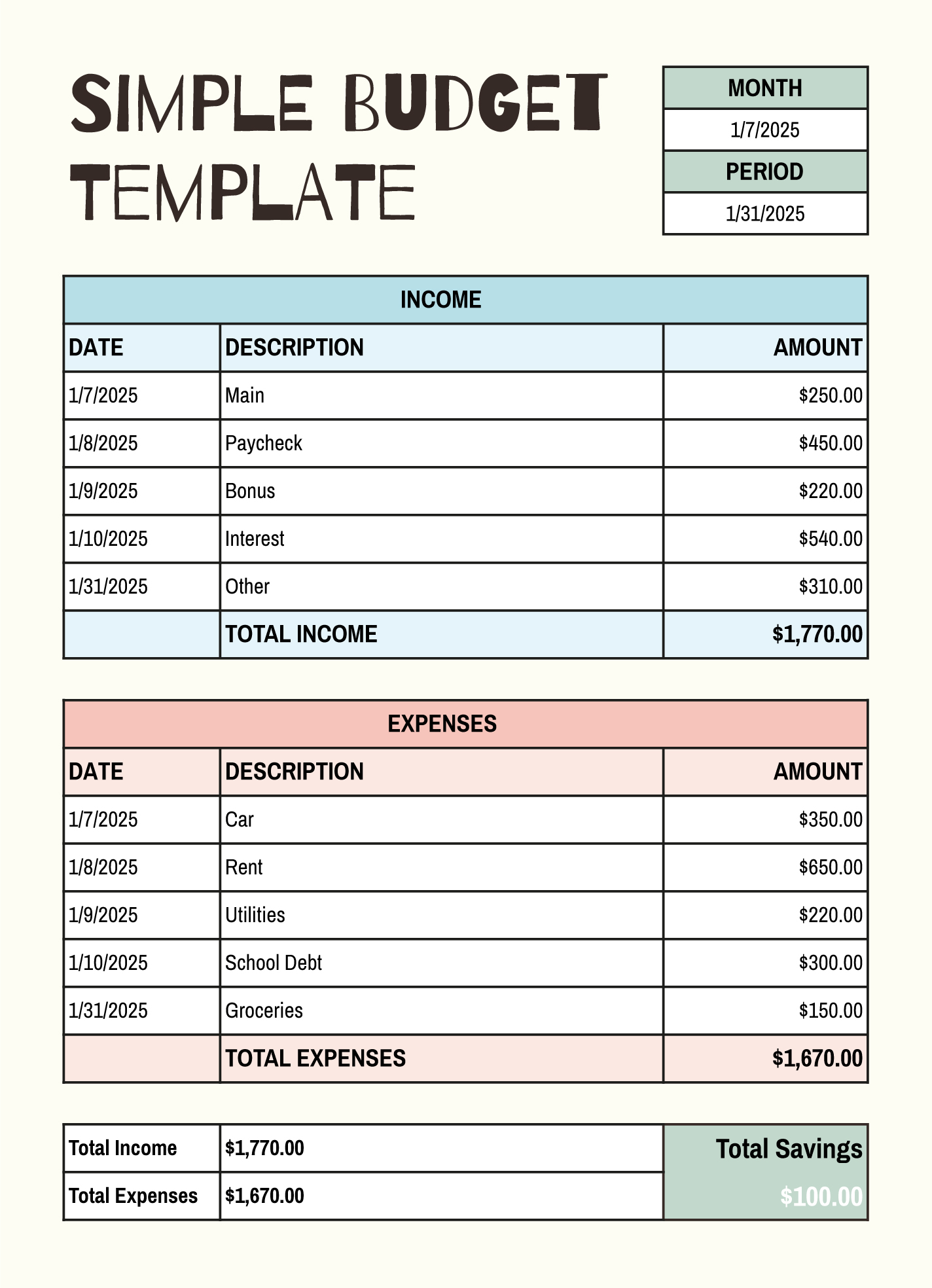
Before diving into the creation process, it’s important to understand what a budget sheet is and its purpose. A budget sheet is essentially a tool that helps you track your income against your expenses. It allows you to see where your money is going and helps you plan for future spending.
In educational settings, budget sheets can be particularly useful for teaching students about financial responsibility. They can learn about managing their allowances, saving for specific goals, or even planning for school projects.
Choosing the Right Format for Your Budget Sheet
When considering how to make a simple budget sheet, the first step is to choose the format that works best for you. Budget sheets can be created in various formats:
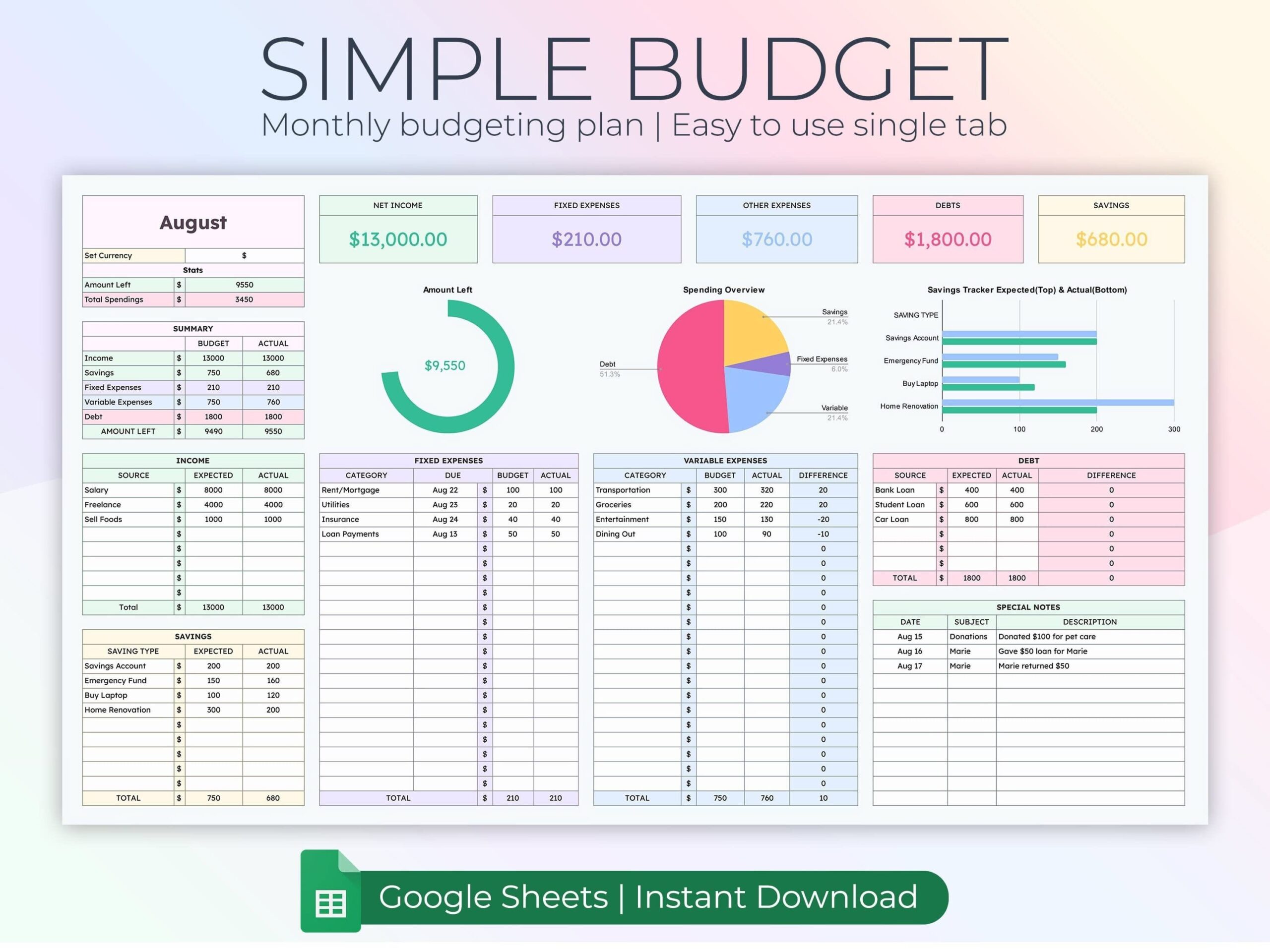
- Spreadsheet Software: Programs like Microsoft Excel or Google Sheets offer templates that can be easily customized. These are great because they allow for automatic calculations.
- Printable Templates: If you prefer a physical copy, look for printable budget templates. These can be downloaded and printed, making them easy to fill out by hand.
- Handwritten Sheets: For a more personal touch, you can create your own budget sheet on blank paper. This method can also help students engage more deeply with the process.
For teachers, using a spreadsheet format might be ideal as it allows for easy adjustments and can be shared with students digitally.
How To Create Your Budget Sheet
Step 1: Gather Your Information
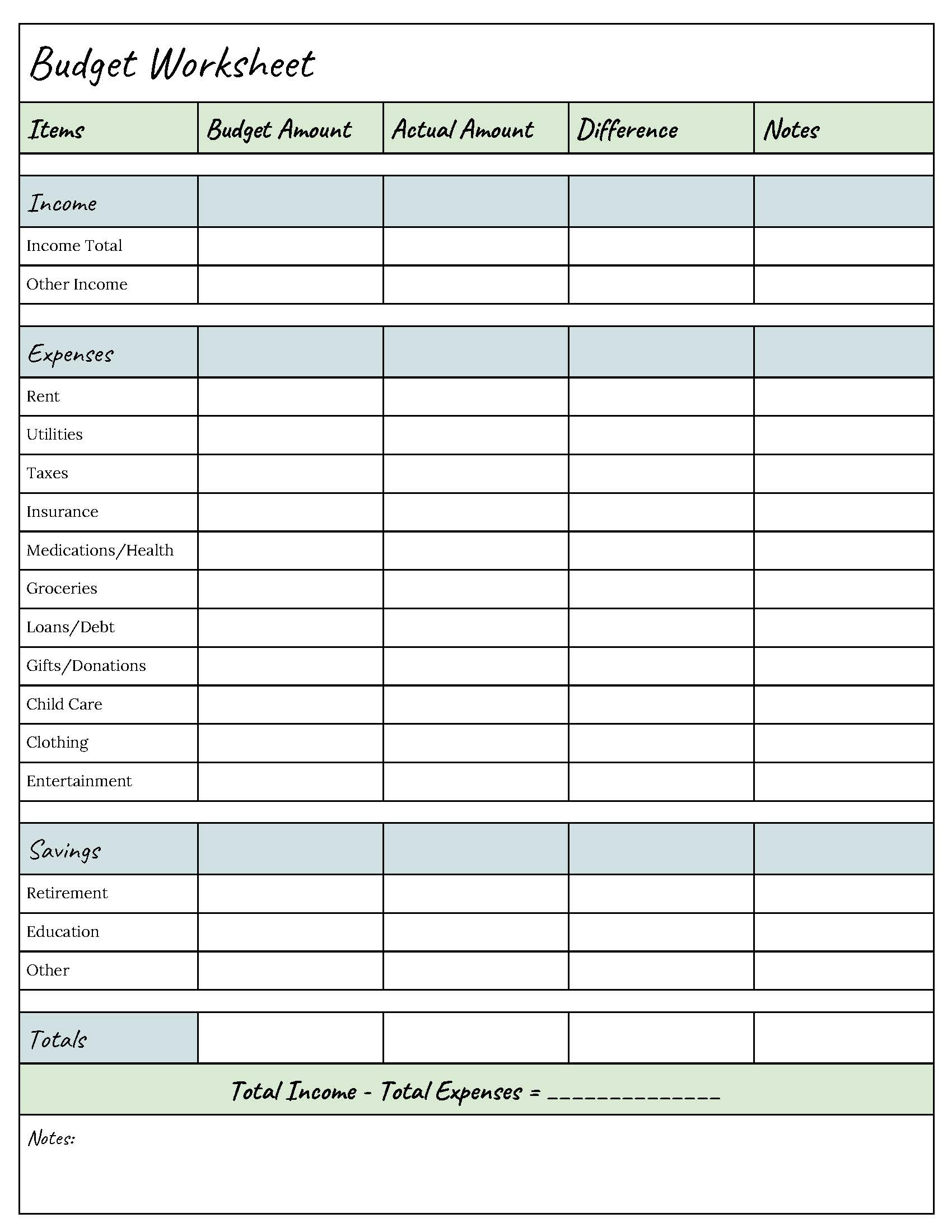
The first step in creating your budget sheet is to gather all necessary information:
- Income Sources: List all sources of income, such as salaries, allowances, or any other financial inflows.
- Expenses: Identify fixed expenses (like rent or utilities) and variable expenses (like groceries or entertainment).
Step 2: Set Up Your Sheet
Now it’s time to set up your budget sheet. If you’re using spreadsheet software, start by creating the following columns:
- Category: This includes income and various expense types.
- Amount: This column will contain the dollar amount for each entry.
- Notes: Here you can add any additional information, such as due dates or specific details about the expense.
For a printable template, you can either find one online or create a simple grid with the same categories.
Step 3: Fill in Your Income and Expenses
Begin by filling in your income sources at the top of the sheet. Then, proceed to fill in your expenses. This step is crucial as it provides a clear overview of your financial situation.
Step 4: Calculate Totals
After entering your data, calculate the totals for both income and expenses. For spreadsheet users, use formulas to automatically calculate totals, which saves time and reduces errors.
For those using a printed template, you can do a quick manual calculation. The goal is to see how much money you have left after expenses.
Step 5: Review and Adjust
Once you have your totals, review your budget sheet. If your expenses exceed your income, look for areas where you can cut back. This might be a good teaching moment for students to understand the importance of living within their means.
Utilizing Your Budget Sheet Effectively
Creating a budget sheet is just the beginning. To truly benefit from it, you need to use it regularly. Here are some practical tips:
- Regular Updates: Make it a habit to update your budget sheet weekly or monthly. This helps keep track of any changes in income or expenses.
- Set Goals: Encourage students to set financial goals, whether it’s saving for a new gadget or planning for a school trip. Having a clear goal can motivate them to stick to their budget.
- Incorporate Repetition: Consistent practice with the budget sheet will reinforce financial concepts. Encourage students to use the budget sheet for various scenarios—like planning a party or managing their pocket money over a month.
Teaching Financial Literacy With Budget Sheets
Incorporating budget sheets into your teaching can foster financial literacy. Here are some engaging activities:
- Classroom Projects: Have students create a budget for a class event. This can involve estimating costs for supplies, food, and activities.
- Family Budgeting: Encourage students to discuss their family’s budgeting practices, including how their parents manage household finances.
- Guest Speakers: Invite financial experts to talk about budgeting and saving, providing real-world insights into the importance of financial planning.
Using a simple budget sheet can be a powerful tool in shaping students’ understanding of money management.
Final Tips for Success
As you work on how to make a simple budget sheet, keep in mind the importance of flexibility. Financial situations can change, and your budget should be able to adapt.
A key detail to remember is that teaching budgeting does not have to be boring. Use creative methods to engage students, such as gamifying the budgeting process or using real-life scenarios to make the learning experience relatable.
Ultimately, a well-structured budget sheet can serve as a foundational tool for financial education, helping students and parents alike manage their resources wisely.